 Pixel Calm
A coloring game with real dark mode
Many coloring apps ignore dark mode entirely, so a bright white board lights up a dark room. Others simply invert colors and make pictures hard to read. This guide explains why dark mode is tricky for coloring, what true black means on OLED screens, and how Pixel Calm handles it.
Why dark mode is hard for coloring games
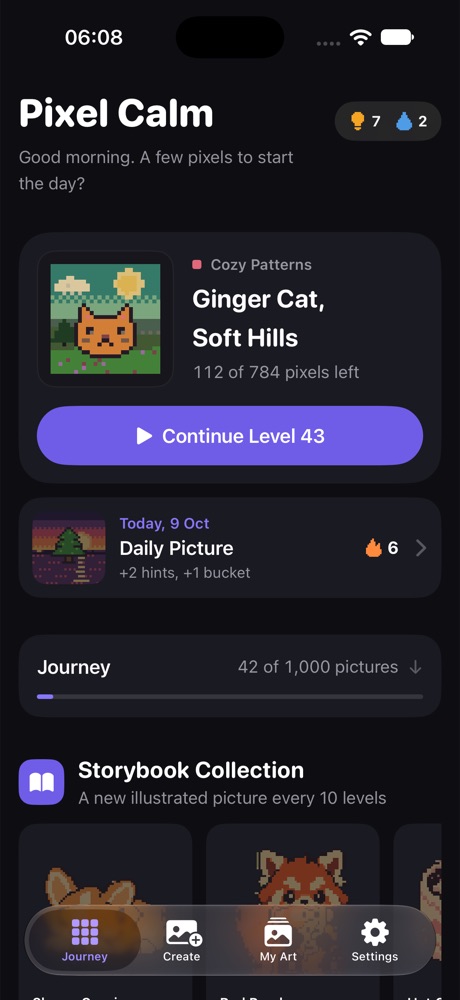
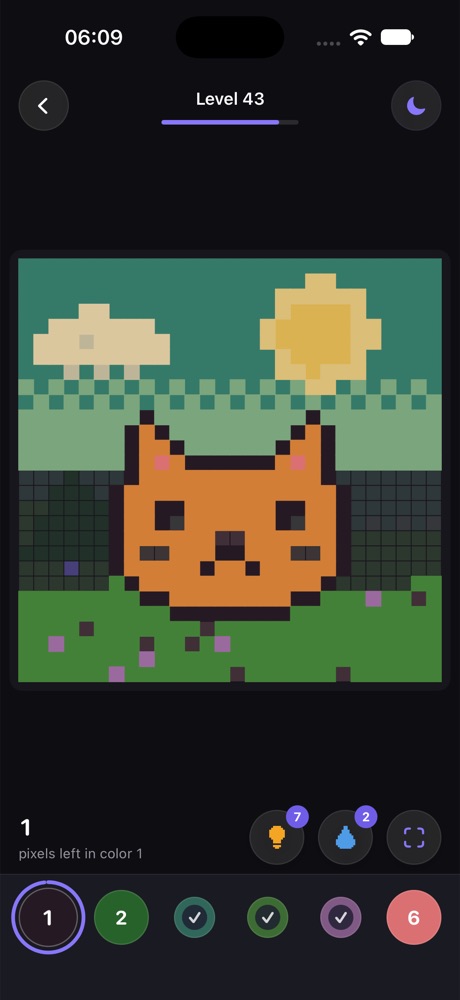
In most apps, dark mode means swapping a white background for a dark one. A coloring game is different, because the board is the content. The uncolored cells, the numbers printed on them and the colors you paint all need to stay readable and look right against the background.
- Numbers must keep contrast. Light numbers on dark cells need to stay legible at small sizes.
- Painted colors must stay true. A picture's colors should look like themselves, not washed out or inverted.
- Uncolored and colored cells must stay distinct so you can see what is left.
That is why a good dark coloring theme is designed, not just flipped.
Dark vs. true black (OLED)
Most recent iPhones use OLED displays, where each pixel makes its own light. A pure black pixel is simply off. That has two effects: the screen looks deeply black with no glow in a dark room, and black areas use less power than bright ones.
A "dark" theme usually uses a dark gray, which is softer and often easier on the eyes for long reading. A "true black" theme uses pure black, which looks striking on OLED and keeps a dark room dark. Neither is better for everyone, which is why having both is useful.
How Pixel Calm does it
Pixel Calm offers four themes:
- Auto follows your iPhone's Light or Dark appearance.
- Light is a bright, airy board for daytime.
- Dark is a soft dark theme with a readable board.
- Midnight is true black, made for OLED screens and dark rooms.
Night Filter
On top of any theme, Night Filter makes colors warmer and dimmer for bedtime. Combined with Midnight, the screen becomes a black canvas with soft, warm colors appearing as you paint. It is about comfort in a dark room; Pixel Calm makes no health claims about it. More on evening play in relaxing games before bed.
Calm fill effects
Fill effects matter more in the dark, where a bright sparkle can be a lot. Pixel Calm lets you pick Glitter, Soft Pop or Still. Still turns fill animations off for the quietest possible screen.
Tips for comfortable dark mode coloring
- Lower brightness first. Even a black theme is bright at full brightness.
- Use Midnight for bed, Dark for the sofa. True black in a dark room, softer dark gray when there is some light around.
- Turn on highlighting. Highlighting the selected number makes the cells you need easy to spot on a dark board.
- Use the system tools too. Reduce White Point and Night Shift in iOS settings work alongside the game's own options.
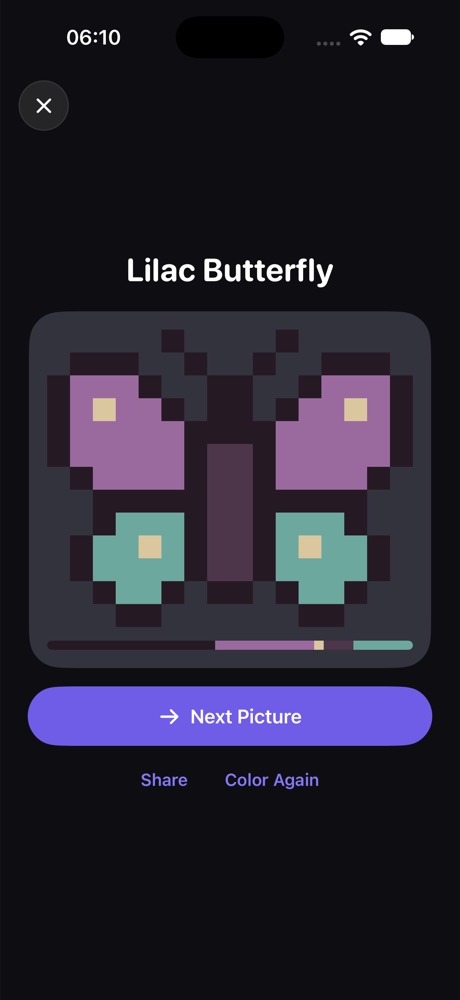
The rest of Pixel Calm works the same in every theme: 1,000 pixel pictures across 50 worlds, the Daily Picture, the Storybook Collection, Create for your own photos, and My Art. No ads, no timers, and it works fully offline.
Pixel Calm is coming soon
1,000 calm pixel pictures for iPhone and iPad. Free, no ads, works offline.
See Pixel CalmFrequently asked questions
Does Pixel Calm have dark mode?
Yes. It has Auto, Light, Dark and Midnight themes. Auto follows your iPhone's appearance setting.
What is the Midnight theme?
Midnight is a true black theme designed for OLED screens, where black pixels are off.
Does true black save battery?
On OLED screens, black pixels are off and use less power than bright ones. How much depends on your device and brightness.
What is Night Filter?
Night Filter makes the game's colors warmer and dimmer for bedtime. It works with any theme.
Can I turn off fill animations?
Yes. Choose the Still fill effect for no animation, or Glitter and Soft Pop for more.
Related guides
- Relaxing games to play before bed: What makes a game calm enough for the evening, and how to set up your phone for it.
- A coloring game that works offline: Why coloring games fail without internet, and how to check one before a trip.
- Pixel art coloring, one square at a time: How color by number pixel art works, with tips for finishing big pictures.
- Pixel Calm home