 Pixel Calm
Turn your photo into pixel art to color
Turning a photo of your dog, your kids or a favorite place into a picture you color square by square is one of the nicest things a coloring game can do. It also means handing over a personal photo. This guide explains how photo to pixel art conversion works, which photos turn out best, and why it matters where the conversion happens.
How photo to pixel art works
Converting a photo into a color by number picture takes two steps.
- Shrinking to a grid. The photo is scaled down to a small grid, so every cell stands for an area of the original image.
- Reducing the colors. A photo has thousands of shades. The converter groups similar shades together and picks a small palette, then gives each palette color a number.
The result is a pixel picture in which each square has one of a handful of numbered colors, exactly like any other level. Grid size and palette size are a trade-off: a bigger grid and more colors keep more detail, while a smaller grid looks bolder and is quicker to finish.
Which photos convert best
- One clear subject. A pet, a face, a flower or a mug reads well at low resolution. A crowded street scene turns into noise.
- Strong contrast. A light subject on a darker background, or the reverse, survives the shrink.
- Simple backgrounds. Plain walls, sky or grass become a few big areas that are relaxing to fill.
- Good light. Dim, grainy photos lose shape when colors are merged.
- Crop tight. Fill the frame with what matters. Wasted space becomes wasted squares.
The privacy question
Many photo to pixel tools are websites or apps that upload your image to a server, convert it there and send back the result. That can be perfectly fine, but it means a copy of your photo has left your device, and you are trusting someone else's storage and policies with it. For pictures of children, your home or anything personal, that is worth thinking about.
The alternative is on-device processing: the conversion runs entirely on your phone, and the photo is never sent anywhere.
How Pixel Calm's Create tab works
In Pixel Calm, the Create tab turns your own photo into a picture to color. You choose the photo with the system photo picker, so the game sees only the one photo you pick, not your library. It is processed on device and the photo never leaves your iPhone or iPad. Pixel Calm collects no personal data and has no account, so there is nowhere for it to go.
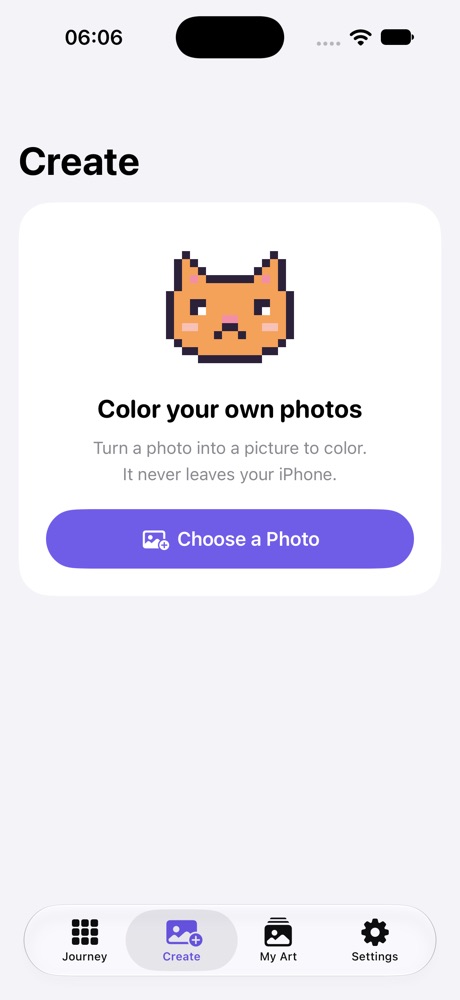
Your picture then works like any other level: numbered palette, highlighting of the selected number, hints that fly to the nearest missing pixel and a paint bucket for big areas. It appears in your My Art gallery with your other pictures.
When it is done
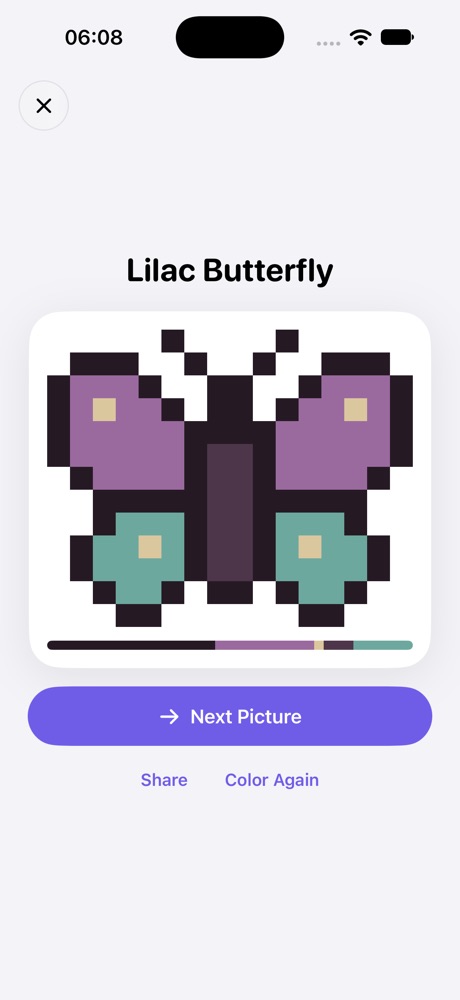
Finishing a photo picture plays a time-lapse replay of your coloring, which is especially satisfying when a familiar face slowly appears. You can share the finished image, with its palette ribbon, wherever you like. Sharing is your choice; nothing is posted or uploaded automatically.
Ideas for photo pictures
- A pet portrait, cropped to the face.
- A favorite meal or drink from above.
- A sunset or beach with a simple horizon.
- A houseplant against a plain wall.
- A gift: color a photo of someone, then share the finished image and replay with them.
Pixel Calm is coming soon
1,000 calm pixel pictures for iPhone and iPad. Free, no ads, works offline.
See Pixel CalmFrequently asked questions
Can Pixel Calm turn my photo into a color by number picture?
Yes. The Create tab converts your own photo into a pixel picture you can color.
Is my photo uploaded anywhere?
No. The photo is processed on device and never leaves your iPhone or iPad.
Does Pixel Calm get access to my whole photo library?
No. You pick a photo with the system photo picker, and the game sees only that one photo.
What kind of photo works best?
Photos with one clear subject, good light, strong contrast and a simple background convert best. Crop tightly around the subject.
Is the Create tab free?
Yes. Create is part of the free game.
Related guides
- Pixel art coloring, one square at a time: How color by number pixel art works, with tips for finishing big pictures.
- A coloring game that works offline: Why coloring games fail without internet, and how to check one before a trip.
- A color by number game with no ads: What makes a coloring game truly ad free, and the free models that keep it that way.
- Pixel Calm home