 Pixel Calm
A coloring game that works offline
Planes, subways, cabins and spotty hotel Wi-Fi are exactly the moments a relaxing game is most welcome, and exactly the moments many games stop working. This guide explains why coloring games often need a connection, how to test one before you travel, and how Pixel Calm works with no internet at all.
Why many coloring games need the internet
A coloring game looks like it should work anywhere. In practice, several common design choices tie it to a connection:
- Pictures are downloaded on demand. Huge libraries are kept on a server and fetched one by one, so new pictures will not open offline.
- Ads. Ad supported games need a connection to load ads, and some hold back rewards or features until they can.
- Accounts and cloud saves. Games that sign you in may fail to load your progress without reaching their servers.
- Events and timers. Live events check the server clock, which means no connection, no event.
How to test a game before you travel
- Install the game and open it once while you are online.
- Turn on Airplane Mode and make sure Wi-Fi is off too.
- Force quit the game and open it again from scratch.
- Start a picture you have never opened, color for a while, then close and reopen it.
- Check that hints, settings and your gallery still work.
If everything works after a cold start in Airplane Mode, the game is genuinely offline. If it hangs on a loading screen or shows empty thumbnails, you have your answer before the flight rather than during it.
How Pixel Calm works offline
Pixel Calm works fully offline. All 1,000 pixel pictures across its 50 worlds are part of the game, so the next level opens whether or not you have a signal. There is no account to sign in to, and your progress, streaks and settings are stored on your device.
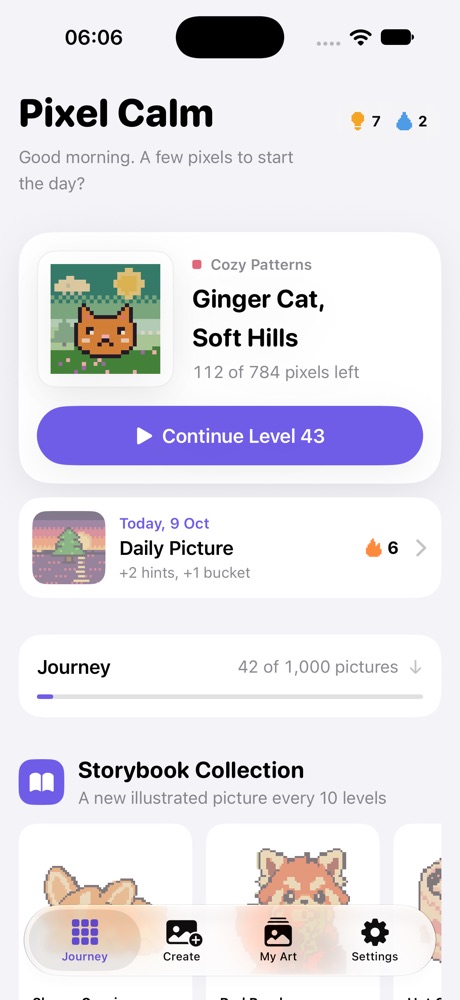
Because there are no ads, there is nothing to load from the network between pictures. Because there are no timers or expiring events, nothing goes wrong if the phone has been offline for days. Even the Create tab works offline, since photos are converted on the device itself and never uploaded.
Everything that works without a connection
- The full journey of 1,000 pictures and the Storybook Collection.
- The Daily Picture and your streak rewards.
- Create: turning your own photo into a picture to color.
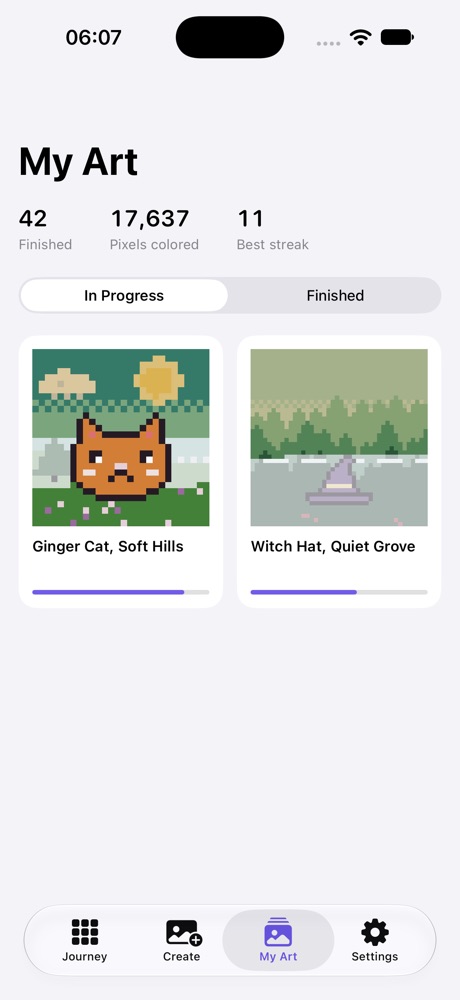
- My Art, with in-progress and finished pictures and stats.
- Time-lapse replays, themes, Night Filter, fill effects, rain ambience and music.
Making a long trip comfortable
- Save battery with a dark theme. Midnight is true black, which on OLED iPhones lets most of the screen stay off. See the dark mode guide.
- Bring headphones for the rain ambience. It does a decent job of softening cabin noise.
- Pick big pictures for long legs. A large picture can fill an entire flight, and drag to fill makes it comfortable.
- Turn on the paint bucket for backgrounds when your hand gets tired.
One note: buying Pixel Calm Plus, the optional one-time purchase, goes through Apple and needs a connection at the moment you buy. After that, unlimited hints and buckets work offline like everything else.
Pixel Calm is coming soon
1,000 calm pixel pictures for iPhone and iPad. Free, no ads, works offline.
See Pixel CalmFrequently asked questions
Does Pixel Calm work without Wi-Fi?
Yes. Pixel Calm works fully offline, including all 1,000 pictures, the Daily Picture and the Create tab.
Do I need an account?
No. There is no account. Progress is stored on your device.
Will I lose my streak if I am offline?
No. The Daily Picture and streak work offline, and nothing expires or resets.
Does Pixel Calm use mobile data?
The game does not need a connection to play. Only the optional purchase through Apple needs one at the moment you buy.
Is it good for flights?
Yes. It has no ads, no timers and works in Airplane Mode, which makes it a calm choice for travel.
Related guides
- A coloring game with real dark mode: Why dark mode is hard for coloring games, and what true black OLED themes offer.
- A color by number game with no ads: What makes a coloring game truly ad free, and the free models that keep it that way.
- Relaxing games to play before bed: What makes a game calm enough for the evening, and how to set up your phone for it.
- Pixel Calm home