 Pixel Calm
Pixel art coloring, one square at a time
Pixel art coloring is the simplest kind of color by number: every square of a picture carries a number, every number matches a color, and you tap squares until the picture appears. This guide covers how it works, how to get through large pictures without strain, and what Pixel Calm adds to the format.
How color by number pixel art works
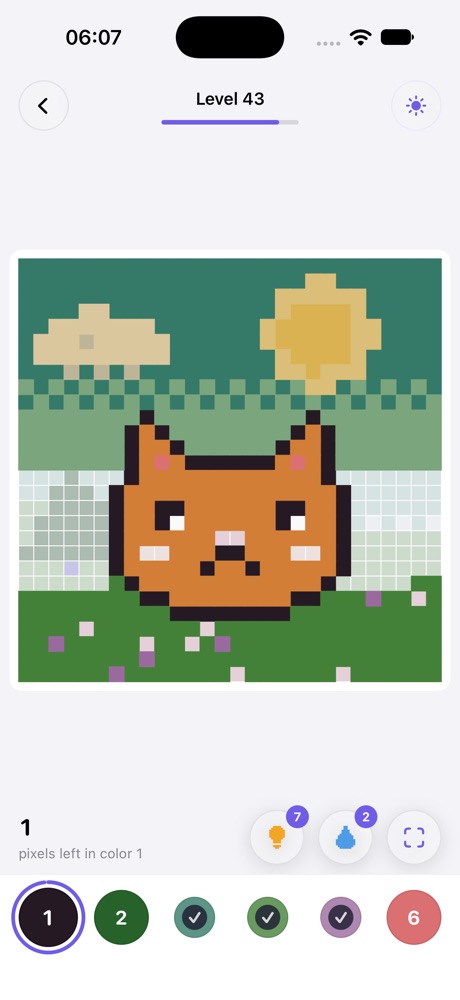
A pixel picture is a grid. Each cell is one solid color, and the game hides those colors behind small numbers printed on a pale board. At the bottom of the screen is a palette: color 1, color 2, color 3 and so on. Pick a color, then tap or drag across the cells with that number. When every cell is filled, the picture is complete.
Because there is no drawing skill involved, pixel coloring is easy to start and easy to put down. Each tap is a small, finished action, which is a big part of why people find it soothing.
Tips for big pictures
- Zoom out to plan, zoom in to color. Pinch out to see where a color lives, then zoom in so the cells are big enough to drag across comfortably.
- Drag instead of tapping. Sliding a finger across a row fills every matching cell it passes, which is much faster than single taps.
- Start with the largest color. Backgrounds and big shapes go quickly and make the rest of the picture easier to read.
- Use highlighting. When the selected number is highlighted, the cells you still need stand out against everything else.
- Let a hint find the last square. Large pictures often end with one hidden cell. A hint that jumps to the nearest missing pixel ends the search.
What Pixel Calm adds
A journey instead of a feed
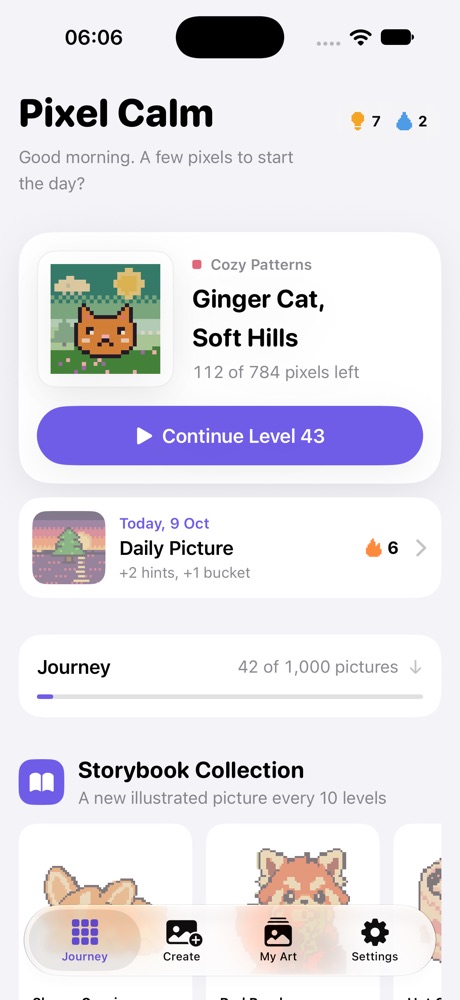
Many pixel coloring apps present an endless scrolling feed of pictures. Pixel Calm arranges 1,000 pixel pictures as a calm journey through 50 worlds. Levels unlock in order, so there is always a clear next picture and a sense of going somewhere, without having to choose from thousands of thumbnails.
Helpers that keep the flow
- Highlight the selected number, and jump to the next color when one is finished.
- Hints that fly to the nearest pixel you have not colored.
- A paint bucket that fills big areas of one number in a tap.
- Haptics and soft coloring chimes, so each fill feels like something.
A reason to come back, without pressure
The Daily Picture is one picture a day. Coloring it keeps a streak going and rewards 2 hints and 1 bucket. There is also the Storybook Collection: 8 illustrated pictures (Sleepy Corgi, Red Panda, Hot Cocoa, Jolly Jack, Witch's Hat, Snow Buddy, Christmas Tree and Gingerbread), with a new one unlocking every 10 levels.
Your own pictures
The Create tab turns your own photo into a pixel picture to color. The conversion happens on your device and the photo never leaves your iPhone. See turning a photo into pixel art for how that works.
After the last square
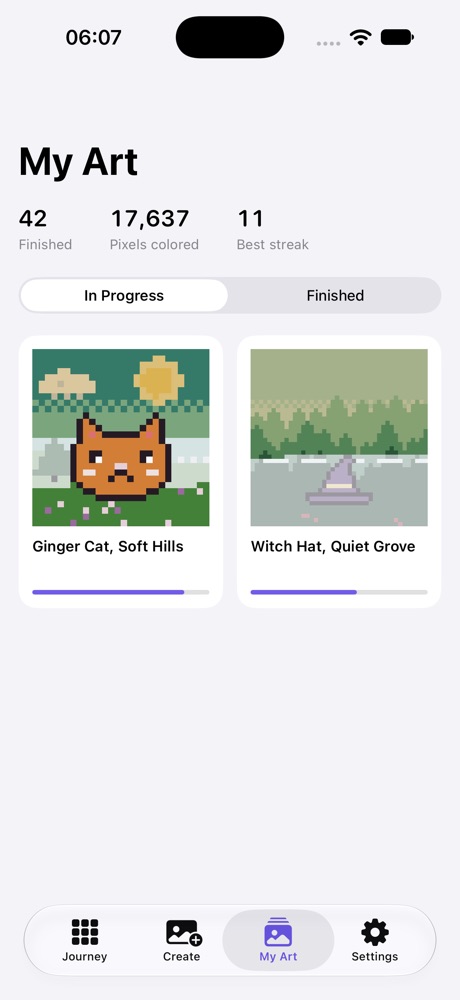
When a picture is done, Pixel Calm plays a time-lapse replay of your coloring, shows the palette ribbon of every color you used, and lets you share the result as an image. Everything you have started or finished lives in the My Art gallery, split into in progress and finished, along with your stats.
Pixel coloring vs. regular coloring pages
Traditional coloring pages ask you to stay inside lines and choose your own colors, which some people love and others find stressful. Pixel color by number removes both decisions. There are no lines to stay inside and no wrong colors, only the next number. If you want creative control, a sketchbook is better. If you want something quiet for your hands while your mind rests, pixels are hard to beat.
Pixel Calm is coming soon
1,000 calm pixel pictures for iPhone and iPad. Free, no ads, works offline.
See Pixel CalmFrequently asked questions
What is a pixel art coloring game?
It is a color by number game where a picture is a grid of numbered squares. You pick a color from the palette and fill every square with its number until the picture appears.
How many pictures does Pixel Calm have?
Pixel Calm has 1,000 pixel pictures arranged in a journey of 50 worlds, plus 8 illustrated Storybook pictures and a Daily Picture.
Do I have to finish levels in order?
Yes. Levels unlock in order as you finish them, so there is always a clear next picture.
Can I color my own photos?
Yes. The Create tab turns your photo into a picture to color. It is processed on device and the photo never leaves your iPhone.
Does it work on iPad?
Yes. Pixel Calm runs on iPhone and iPad with iOS 18 or later.
Related guides
- Turn your photo into pixel art to color: How photo to pixel art conversion works, which photos work best, and the privacy angle.
- A color by number game with no ads: What makes a coloring game truly ad free, and the free models that keep it that way.
- Color by number for adults: Why grown-ups enjoy color by number and how to make it a mindful habit.
- Pixel Calm home