 Pixel Calm
Relaxing games to play before bed
Plenty of people reach for their phone in bed. If you are going to play something, it helps to choose a game that winds you down instead of winding you up. This guide looks at what makes a game suit the evening, how to set up your screen, and how Pixel Calm was designed with bedtime in mind. It is not medical advice: if sleep is a real struggle, talk to a doctor.
What makes a game calm enough for bedtime
Most games are designed to raise your heart rate a little. That is the fun of them. In the evening you want the opposite. A good bedtime game tends to share a few traits:
- No timers or fail states. Nothing to lose, nothing chasing you, no reason to play "one more round" to fix a bad result.
- Short, finishable sessions. You should be able to stop at any moment without losing progress.
- Repetitive, low decision play. Simple actions that occupy your hands without demanding strategy.
- No interruptions. Loud video ads are about the least relaxing thing a phone can do at 11 pm.
- A dark, dim screen. A bright white board in a dark room is uncomfortable to look at.
- Quiet, optional sound. Soft audio can help; anything sudden does not.
Color by number games fit this list well, which is why they are a common evening choice.
Setting up your screen for the evening
Your iPhone already has useful tools. Dark Mode turns most interfaces dark. Night Shift shifts the display toward warmer colors on a schedule. Lowering brightness, or adding Reduce White Point in accessibility settings, makes the screen gentler still. Setting a Downtime or Sleep Focus helps you put the phone down at a set time.
A word of honesty about blue light: warmer, dimmer screens are more comfortable to look at in the dark, but research on whether screen color filters improve sleep is mixed. The most reliable advice is simply to keep screen time short before sleep and stop when you feel drowsy. A calm game is a nicer last activity than an endless feed, not a sleep aid.
How Pixel Calm is built for bedtime
Dark and Midnight themes
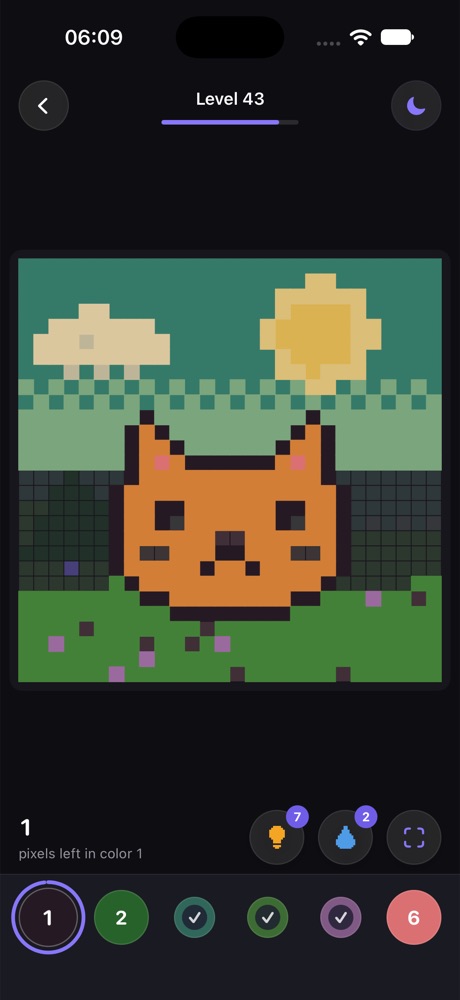
Pixel Calm has four themes: Auto, Light, Dark and Midnight. Dark gives a soft dark board that stays readable. Midnight goes further with true black, so on an OLED iPhone almost the whole screen is off and only the colors you have painted glow.
Night Filter
Night Filter makes the game's colors warmer and dimmer for bedtime. It works with any theme and is separate from your system settings, so you can keep the rest of your phone as it is and only soften the game.
Gentle sound
Soft coloring chimes, a relaxing rain ambience and calm background music are all built in, and each can be switched off. Many people play with rain only and the volume low. Haptics can be turned off too.
Nothing that keeps you up
There are no ads, no timers, and nothing expires or resets. Stop mid picture and it waits for you. The optional daily reminder is off by default, so the game never pings you at night unless you ask it to.
A simple wind-down routine
- Switch on your Sleep Focus and lower the brightness.
- Open Pixel Calm in Midnight with Night Filter on and the rain ambience playing quietly.
- Color one small picture, or just the Daily Picture to keep your streak.
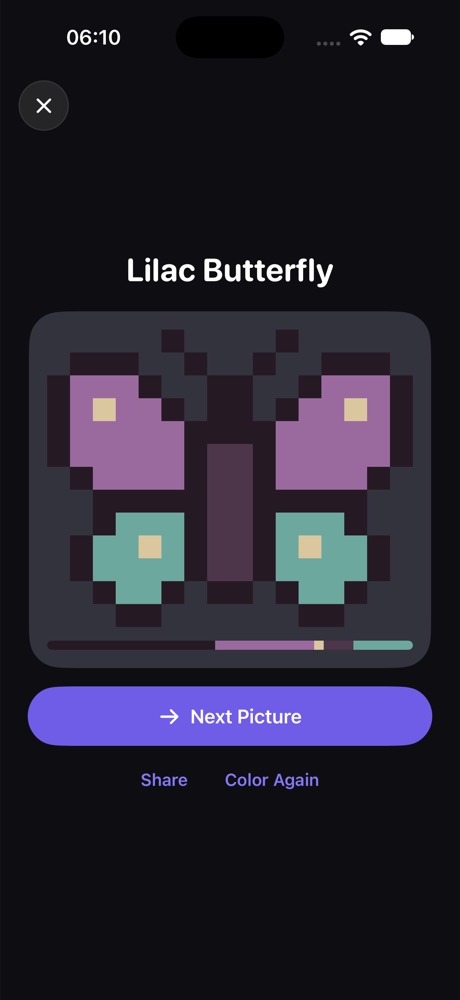
- Watch the time-lapse replay when it is done, then put the phone face down.
Ending on a finished picture gives a natural stopping point, which is exactly what most games try not to give you.
Pixel Calm is coming soon
1,000 calm pixel pictures for iPhone and iPad. Free, no ads, works offline.
See Pixel CalmFrequently asked questions
Is Pixel Calm a sleep aid?
No. Pixel Calm is a relaxing game, not a medical product, and it makes no claims about sleep. It is designed to be calm and easy to put down.
What is the Night Filter?
Night Filter makes the colors in Pixel Calm warmer and dimmer for bedtime. It works with any theme.
What is the Midnight theme?
Midnight is a true black theme. On OLED screens the background pixels are off, which keeps the screen dark in a dark room.
Can I turn off the sound?
Yes. Coloring chimes, rain ambience, background music and haptics can each be turned off.
Will the game send me notifications at night?
No. The only notification is an optional daily reminder, and it is off by default.
Related guides
- A coloring game with real dark mode: Why dark mode is hard for coloring games, and what true black OLED themes offer.
- Color by number for adults: Why grown-ups enjoy color by number and how to make it a mindful habit.
- A coloring game that works offline: Why coloring games fail without internet, and how to check one before a trip.
- Pixel Calm home